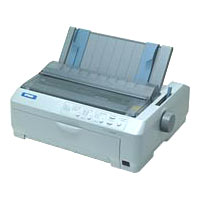
Canon printer waste ink tank problem.
1) you need to change the waste ink absorber
then
2) reset waste ink tank counter
enter the service menu:
* With the printer powered off but connected to a power source, press the Power button while pressing and holding the Stop/ Reset button.
* When the Power is lit, press the Stop/Reset button two times while pressing and holding the Power button.
* When releasing the Power button and the Stop / Reset button (regardless of order), the printer will move into a service mode. (Waiting for menu selection)
* When the on/off lights in green, press the Stop/Reset button the specified number of time(s) according to the function listed in the table below.(Each time the Stop/Reset button is pressed, the LED lights alternately in orange and green, starting with orange.)note: press 4 times for waste ink counter reset. "
The number of the Reset button pressing LED Function Remarks
0 time Green Power off
1 time Orange Service pattern print
2 times Green EEPROM print
3 times Orange EEPROM reset (EEPROM reset)
4 times Green Waste ink counter reset
to exit menu , press 'power' button
remark: some printer need resetter tool to permenant reset counter